Linux
Information
For the example installation, the OS used will be Ubuntu 20.04 LTS.
Let's move on to the installation
First we need to update the system's package and repository lists, use the command:
sudo apt-get -y update
After a few minutes the process is complete, next we need to install the curl utility:
apt-get install -y curl
Now download the Speedtest software files:
curl -s https://packagecloud.io/install/repositories/ookla/speedtest-cli/script.deb.sh | sudo bash
The files have been successfully downloaded.

Next, use this command to unpack and install Speedtest:
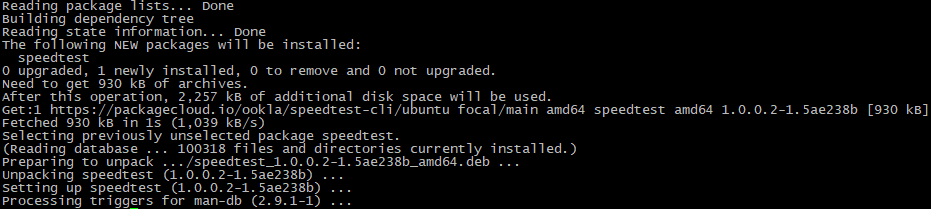
sudo apt-get install speedtest
Speedtest is installed.
Now we can use a simple command to check the network speed: To Moscow servers:
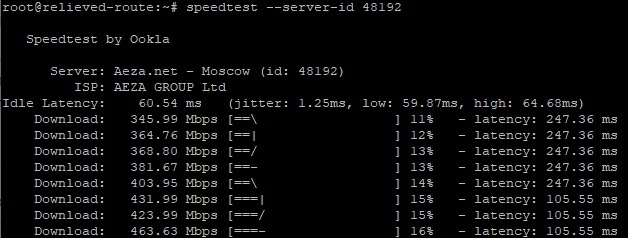
speedtest --server-id 48192
To European servers:
speedtest --server-id 53738
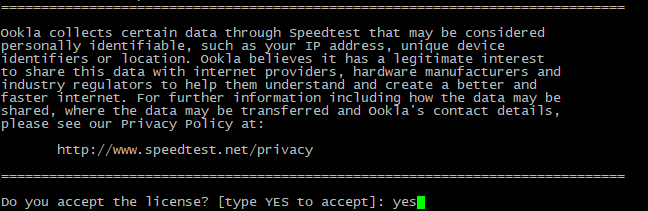
Enter the command and accept the license.
Next, the process of measuring network speed begins.
When finished, we are given full information about the result of the test:
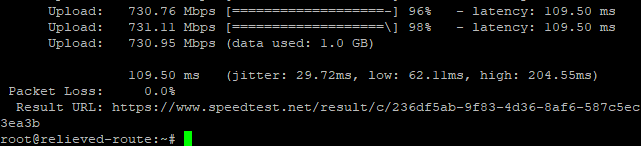
You can view the detailed test result at the link.